Showing posts with label BLOG TRIK. Show all posts

21.12.13

A better way of backing up the blog

 
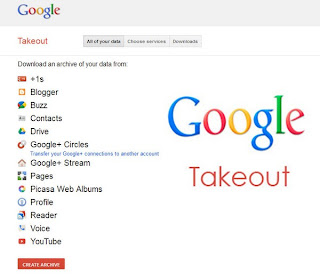
Google has a new service to continue without any noise maintained that Google users to back up your Google account data to keep it safe with the name Google TakeOut.

20.10.13

अपने ब्लॉग पर पोल लगायें

आज मैं आपको अपने ब्लॉग पर पोल कैसे लगायें इस बारे में जानकारी दूंगा,  vorbeo नाम के इस वेबसाइट के द्वारा आप बहुत ही आसानी से और फ्री में अपने वेबसाइट या ब्लॉग पर लगाने के लिए पोल बना सकते हैं|

12.10.13

change blogger template


दोस्तों इस पोस्ट में,  में  आपको ये बताने जा रहा हूँ किसी ब्लॉग की टेम्पलेट कैसे बदले और अपनी मन पसंद टेम्पलेट कैसे लगाये, आपने देखा होगा बहुत सारे ब्लॉग पर उनकी पसंद की टेम्पलेट लगी होती है जिनको टेम्पलेट बदलना नहीं आता वो देख सकते हैं की ब्लॉग की टेम्पलेट कैसे बदले

30.9.13

अपने ब्लॉग\वेबसाइट पर पायें रोजाना हज़ारों पाठक

 
आज मैं आपके लिए लेकर आया हूँ एक ऐसी ट्रिक जिससे आप अपने ब्लॉग पर रोजाना हज़ारों पाठक पा सकते हैं. दोस्तों यह एक वेबसाइट है एड मी फ़ास्ट नाम की. यहाँ रजिस्ट्रेशन कराने के बाद आप को 50 पॉइंट मिलेंगे जिससे आप 50 पाठक को अपने ब्लॉग पर ला सकते हो. ये साईट आपके ब्लॉग का प्रचार फेसबुक एवं अन्य माध्यम से करती है और जब तक करती है जब तक की नियमित पाठक आपके ब्लॉग पर नहीं आ जाते।

ये काम कैसे करती हैं

आप जैसे ही रजिस्ट्रेशन करेंगे आपको 50 पॉइंट मिलेंगे उसके बाद आप अपने ब्लॉग का यू आर एल वहां सबमिट कर दे आपके ब्लॉग पर जल्दी ही 50 पाठक भेज दिए जायेंगे।

इसके बाद उस साईट के माध्यम से आप जितनी वेबसाइट देखेंगे आप को उतने ही पॉइंट मिलेंगे यदि आप एक वेबसाइट देखते हैं तो आपको एक ही पॉइंट मिलेगा। यानी आपको 1000 पॉइंट के लिए 1000 वेबसाइट देखनी पढ़ेंगी लेकिन ये काम बहुत सरल है यदि आप एक वेबसाइट पर 5 सेकंड रुकते हैं तो आप एक मिनट में 12  वेबसाइट देखेंगे और एक घंटे 40 मिनट में में 1200  यानी आप सिर्फ एक घंटे मेहनत करके आप अपने ब्लॉग\ वेबसाइट पर 1000 पाठक पा सकते हैं और गूगल एड्सेंस या अन्य विज्ञापन प्रदाता से विज्ञापन भी लेने के योग्य भी होंगे। इसके अलावा इसमें फेसबुक, ट्वीटर, यूटयूब, माईस्पेस, आदि काफी सोशल वेबसाइट हैं जिनके द्वारा प्रचार किया जाता है,
वेबसाइट पर जाने के लिए यहाँ क्लिक करें

9.9.13

Among my post (with) How to advertise for free

 
Putting them on such advertising income expected (that is, clicking on them) is so much better for placing these ads. are the same code to tell you today that is very simple don't actually pass in the middle of this post. post early but his Alignment such that they post as well.

30.8.13

Do you back up your blog regularly, no!


Sometimes your post or blog is a problem, you can easily backup the complete file of the entire blog can prepare in minutes (including comment found in postas). To back up, and then it is very easy to restore full posts or blog.
I mean here is not from the template of the blog backup but also content that is found on your posts and comments.

First of all see how take backup but before I'll feedback you create a directory or folder on your computer, for example, "my blog backup, if you have more than one blog for each blog inside it all - create a backup folder then it is time for this is a place to store backups every time. you may want to continue to write the same file over Or by name to save the date.
To back up the log in your blogar account and then click on the tab of the stanzas and then click on the link you need basic first will do for Export back in blog tools. click link and blog or Blog post to restore Import Blog click the link.

When you click on these links to Export Blog download blog click on that button will do blogar your blog back to the xml file to save as file in your blog just so. all data posted or later to restore Import Blog to blog by this file select.


Now if you import data from another blog to the new blog at
New from blog dashboard, charette


Then click on the Advanced Options in the Import Blog Tool then select the file of the same Export.


If you import these data into your Existing blog to do so

It has to import in the blog Settings for | Go to the Basic tab on front of the basic Import Blog tool click the link all process the same xml file from that computer's select click the aiport by blog.

 
To import live on opshan, a atometik the same time, the import of postas Publish Wizard, then you were given before the import blog button to select the check box.


Or post import, select one by one by the Publish Wizard, you Posting | Edit Posts tab and these can be imported as drafts in your postas.

20.8.13

Blog on 7 ways to attract readers


You’ve heard the saying, “If a tree falls in the woods and nobody hears it, did it really happen?” Well, if a blog doesn’t have any readers, does it really exist? Without readers, a blog is lifeless and without purpose.
So, what can you do to attract more readers to your blog? Here are 7 tips to help you get started.

18.8.13

Blog on 7 ways to get more comments

One of the measures of a blog’s success at engaging readers is the number of comments it gets. Let’s face it—a blog without comments is just plain sad. If people aren’t commenting on your posts, it means you’re either not getting a lot of traffic or your posts just aren’t interesting enough to warrant comments. Obviously, neither of these is a good thing.

15.8.13

अपने ब्लॉग को .in की जगह .com में करें


आप सबसे पहले एक जरूरी काम कर लीजिये वो यह कि आप अपने वर्तमान ब्लॉग को सुरक्षित कर लें ताकि अगर आपको भविष्य में कोई कठिनाई हो तो आपका ब्लॉग टेम्पलेट सुरक्षित रहे,

14.8.13

How to make your blog fast

 
So this trick you can accelerate your blog, your blog will open faster than ever want to take a look at a time try